Today I’m excited to share the progress I’ve made on improving libretro support in Anarchy Arcade over the past few days. This wasn’t just a minor update—it was a comprehensive overhaul that brings hardware-accelerated OpenGL cores, better stability, and modern API support to the platform.
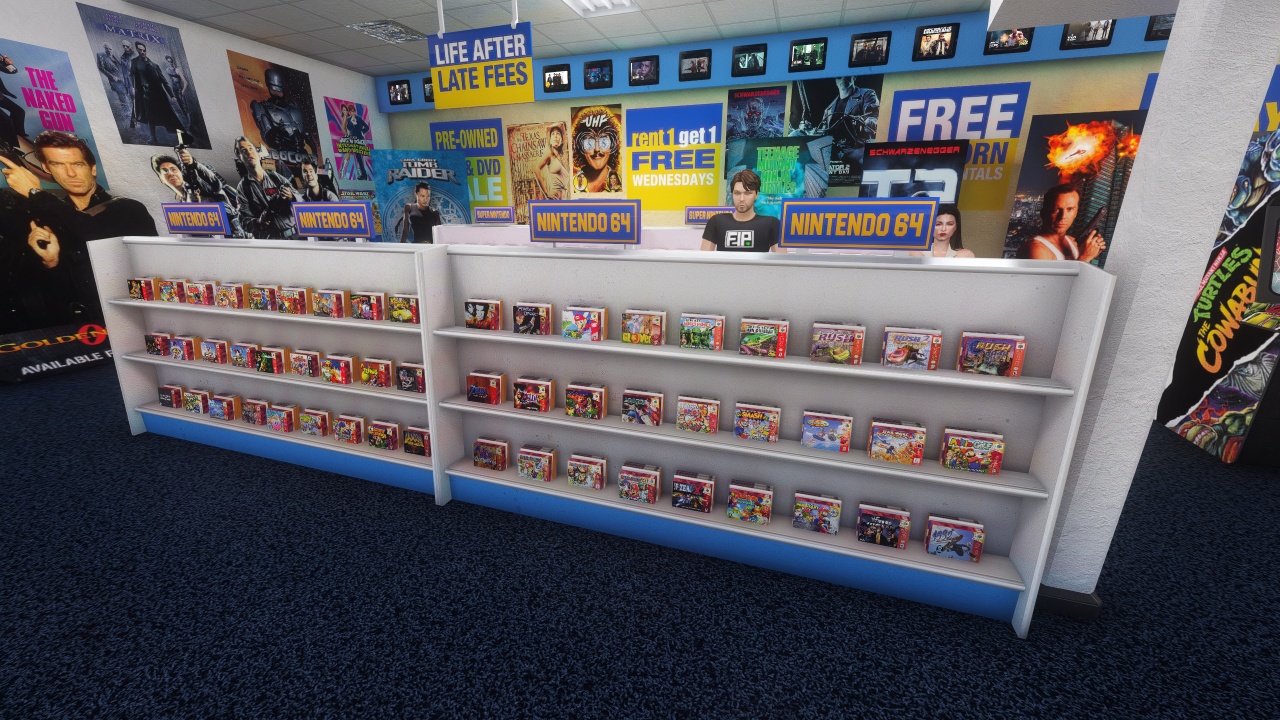
What’s New: OpenGL Support for N64 and More
The biggest improvement is that Anarchy Arcade now supports OpenGL cores, which was a major request from users who wanted to play N64 games properly. Before this update, any core requiring OpenGL support simply wouldn’t work, limiting us to older, software-based emulation.
Here’s Wave Race 64 running inside Anarchy Arcade using the Mupen64 Plus Next core—a hardware-accelerated core that wasn’t possible before. For those unfamiliar, libretro is the embeddable framework created by the RetroArch team. It distributes applications as DLL files called “cores” which are special versions of emulators you probably know: SNES9X, Mupen64, even ffmpeg.
Developing with Claude Code Opus 4.6
What makes this update particularly interesting is that I accomplished most of it using Claude Code Opus 4.6 through VS Code. While some people prefer working directly in AI consoles, I find that approach limiting when you need to make surgical code adjustments or provide the AI with context about existing code structure.
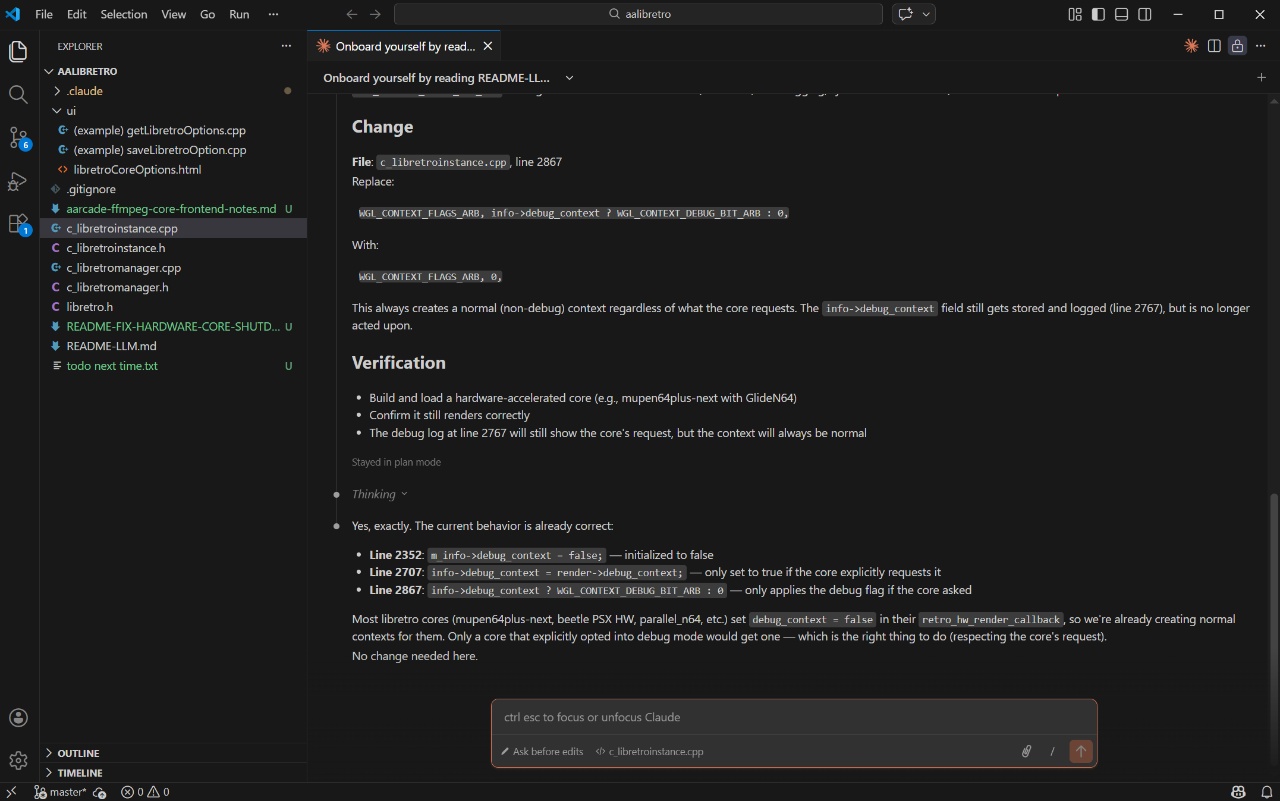
Using VS Code with the Claude Code plugin gave me the best of both worlds—AI assistance with the ability to see and understand the code as we worked on it. The AI could analyze existing code patterns and suggest improvements while I maintained oversight of the development process.
Development Metrics and Results
One of the cool features of Claude Code is its post-development analysis. Here are some charts showing how the libretro improvement session went:
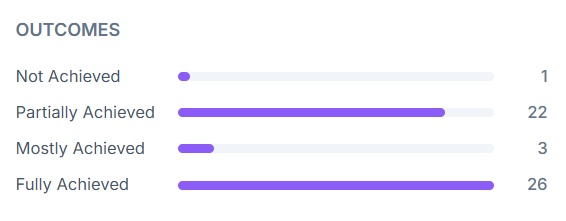
Most objectives were at least partially achieved, with the majority being fully achieved. Some objectives that were initially only partially complete got revisited later and fully resolved.
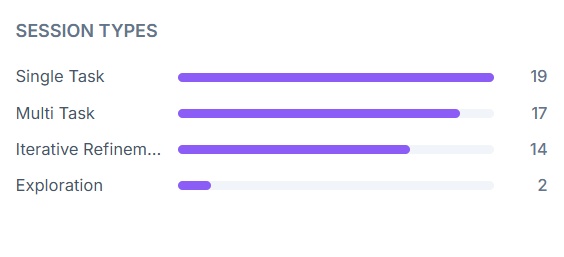
The multitasking metrics are particularly interesting—Claude Code can spin up multiple agents working on different aspects of the problem simultaneously. This parallel processing approach significantly speeds up development when you’re working on complex integrations like libretro support.
Real Results: N64 Games Running In-Game
Here’s the proof in the pudding—GoldenEye 007 running on the Mupen64 OpenGL accelerated core directly on a screen within Anarchy Arcade. This was impossible before because the application lacked OpenGL support for libretro cores.
Updated Core Selection and Management
To make this work properly, I needed to update the core management system. I had Claude analyze the libretro buildbot page to recommend the best cores for different systems:
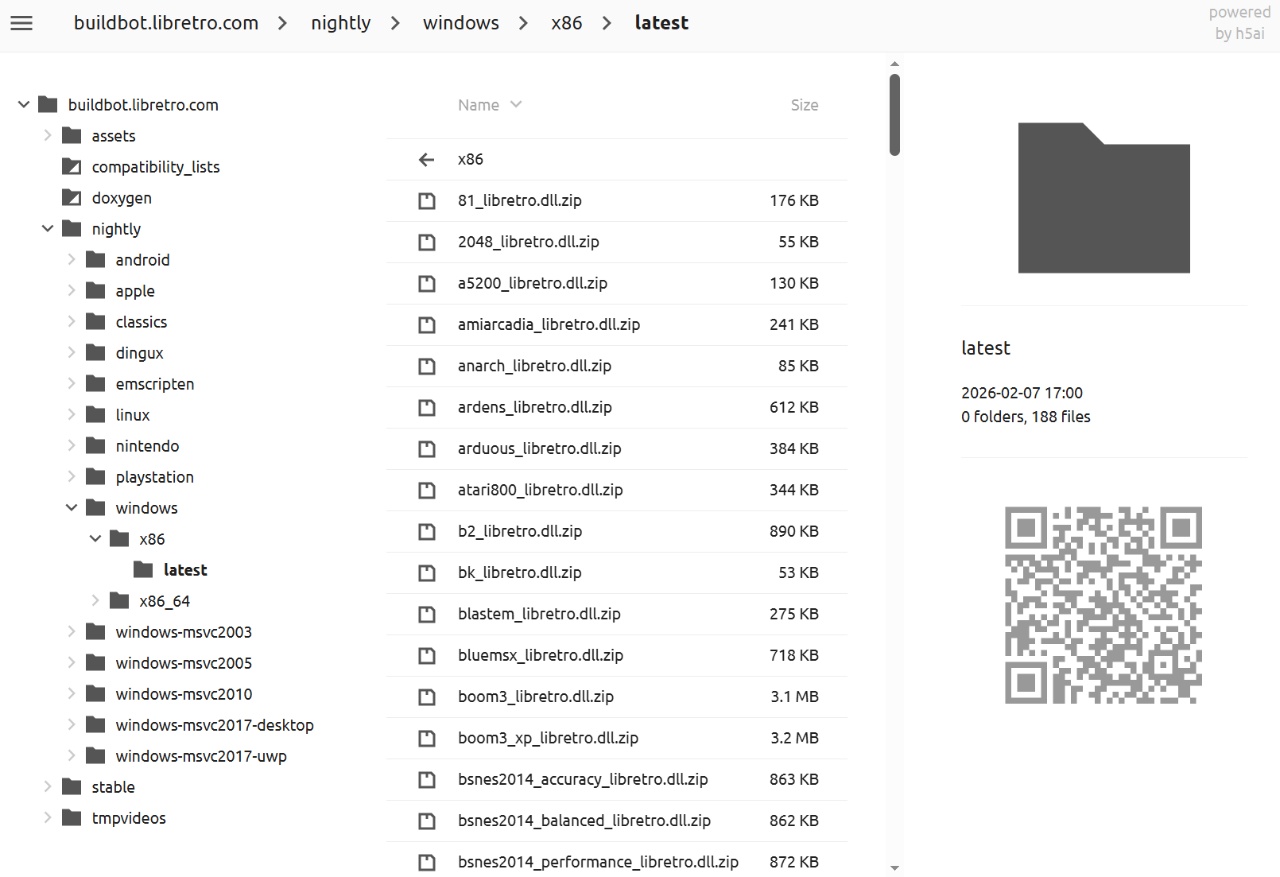
The AI recommended specific cores for N64, Genesis, NES, and other systems based on current best practices. This replaced the old, outdated cores that Anarchy Arcade was previously limited to.
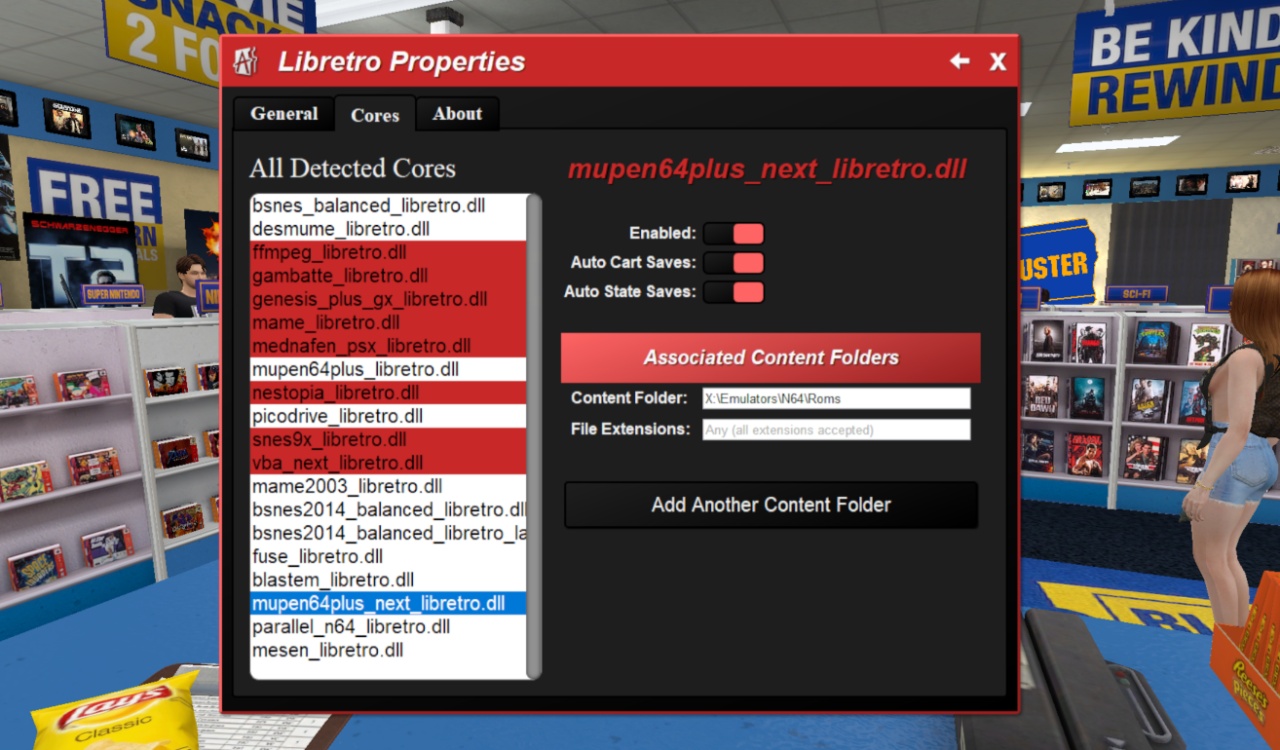
The updated cores menu now lets you enable/disable specific cores, configure automatic state and cart saves, and set up content folders. This is important because you might have multiple cores for the same system but only want to use the best one.
Modern API Implementation
One of the most significant technical improvements was implementing modern libretro API handling. The framework has evolved significantly since Anarchy Arcade’s original implementation:
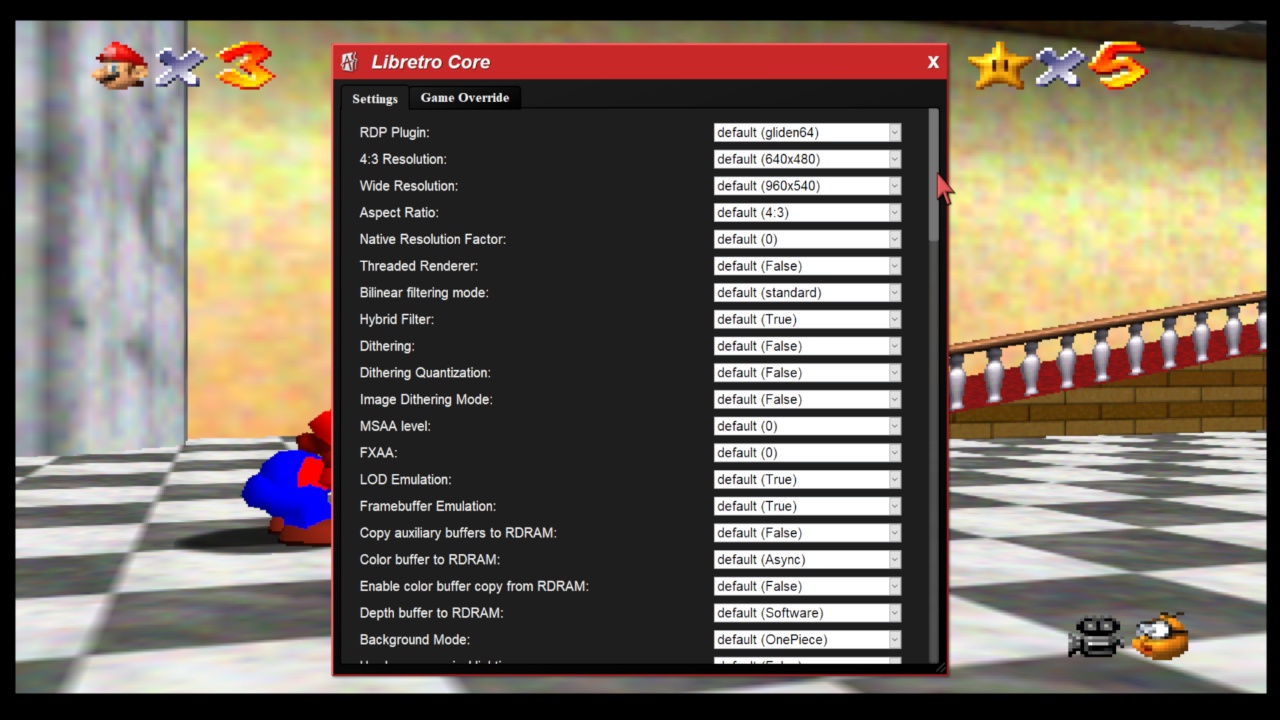
This menu content was entirely generated by what the Mupen64 core communicated to Anarchy Arcade through the libretro framework. Modern cores use new interfaces to communicate their available options and configurations, which the old implementation couldn’t handle.
Technical Deep Dive
The core challenge was that libretro has evolved from its original slimmed-down API. Newer cores require support for advanced configuration interfaces that didn’t exist when Anarchy Arcade first implemented libretro support. Working with Claude, we:
- Implemented missing framework responses for new API calls
- Added OpenGL context creation and management
- Redesigned audio implementation to use non-blocking buffers
- Improved error handling to prevent core crashes from taking down the entire application
The AI frequently referenced the RetroArch GitHub repository to understand how they handled these API calls, spending about 20 hours of back-and-forth development, testing, and refinement.
What’s Next
While this represents major progress, there’s still tuning work to be done before I’m ready to release this update to Anarchy Arcade users. The current implementation successfully runs GoldenEye, Zelda, Mario 64, Wave Race, and other N64 games without problems, but I want to ensure broader compatibility and stability.
The improved error containment means that when something does go wrong, you can simply click away and try again rather than having the entire system crash. It’s much more robust than the previous implementation.
That’s the update for now! The combination of AI-assisted development and hands-on oversight proved to be incredibly effective for this complex integration work. Stay tuned for the official release when it’s ready.