What’s up everybody? Today’s episode is more about the blockbuster map. I’m making an anarchy arcade and tackled some serious performance issues while adding cool new features.
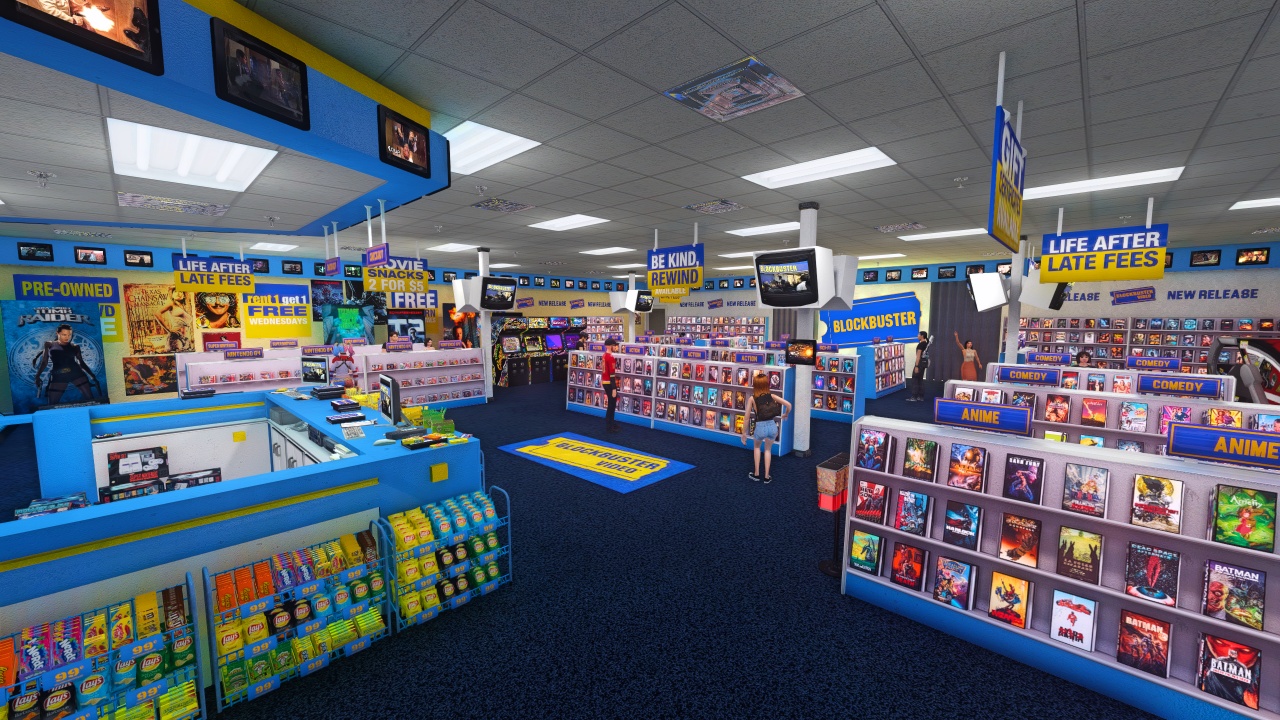
I fixed the laggy frame rate by making every single shelf an imposter using area portals and screenshots of the actual movies on it. I added pets all throughout the arcade – these are actual NPCs that you can take over and control or have follow you around, which really brings the area to life. We’re talking an arcade area that has little MP4s on each of the cabinet screens, so you got some nice ambient motion happening back there.
Performance Optimization with Area Portals
So there’s about 1600 videos in this arcade. When you render the mall at the same time, that causes serious performance issues – your frame rate just sucks. To fix that, I turned each shelf into an area portal with an imposter in front.
There’s a screenshot of that actual shelf on the imposter, which means there are zero videos rendering when you’re walking around by default. But then you go up to one of the shelves that you like, you look at the imposter image, see a movie that you like on there, and press use on it – that opens up the area portal and loads in all the media for that section.
The loading is deferred, so it doesn’t even try to load the movie covers until you’ve activated one of the shelves. This fixes the frame rate because instead of rendering 1600 different movies every single frame, it’s rendering 0 until you activate a shelf, then it’s rendering like 30, and when you go away, the shelf closes back to the area portal and shows the imposter instead.
Imposter System Details
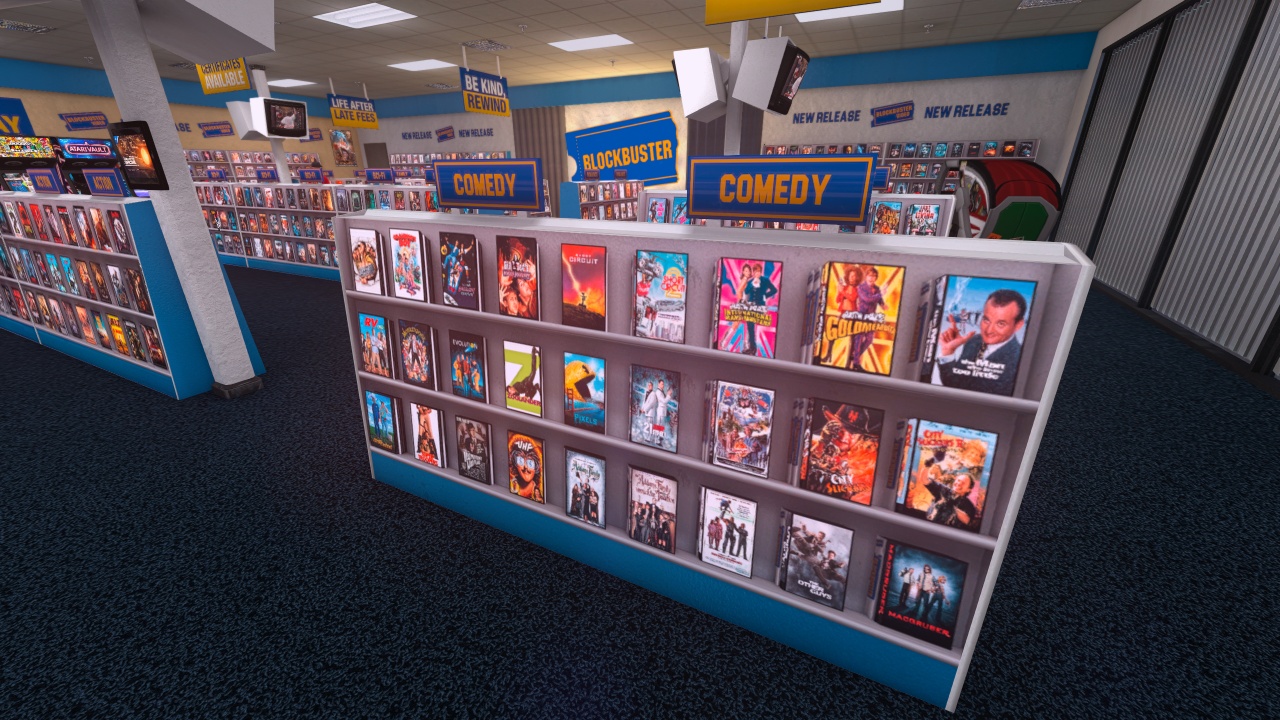
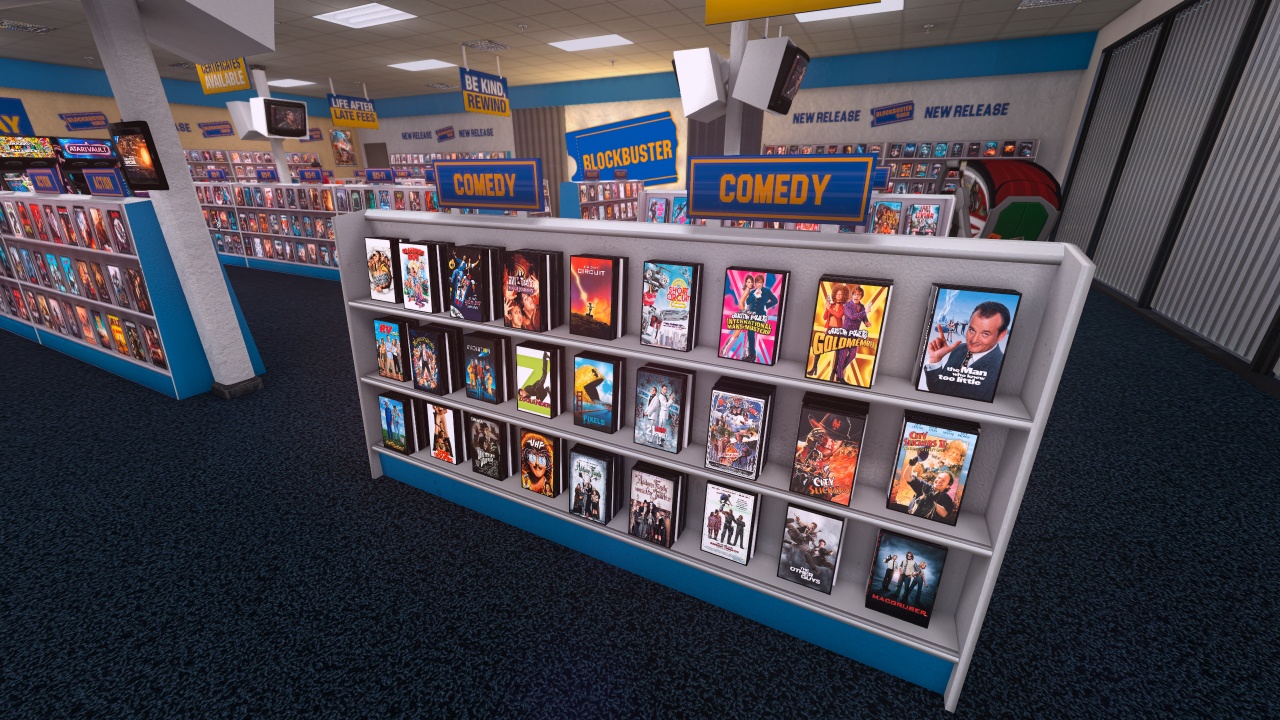
The important thing to notice is that the impostor shows the actual movies that are on the shelf, so you can see what movies are on that shelf before you even activate it. After you activate it, it loads in all the movie covers and you can pick them up and turn them around just like normal.
The impostor textures are just screenshots that I took in-game. I used a console command to make sure my camera was pointed perfectly at them. I didn’t use orthographic projection because I wanted them to look like 3D objects stacked on the shelf rather than perfectly flat.
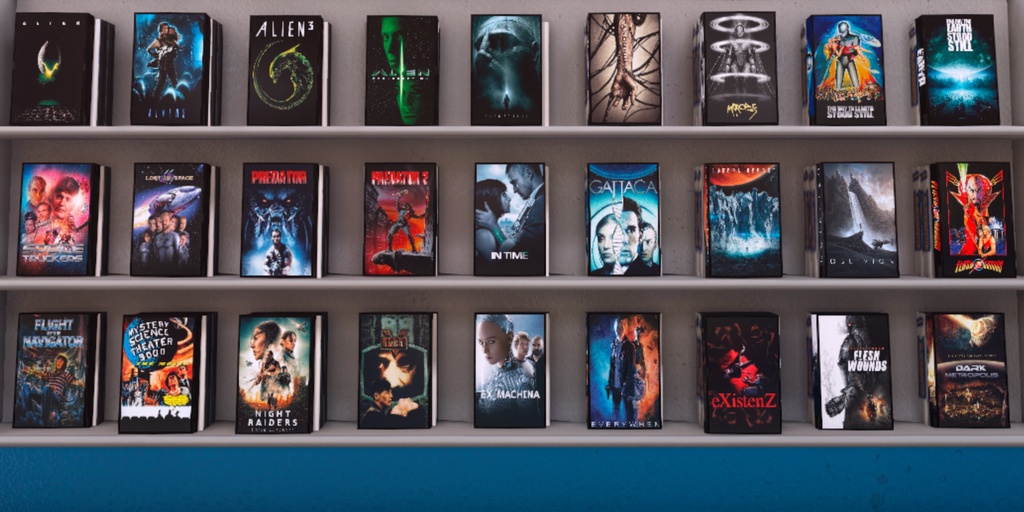
Without orthographic projection, it pulled that off pretty well. The perspective is a bit weird – you see the one right in front looking almost orthographic, but the ones on the side show their 3D nature. When you’re not standing right in front of them, the perspective is wrong, but what are you going to do? It looks good enough.
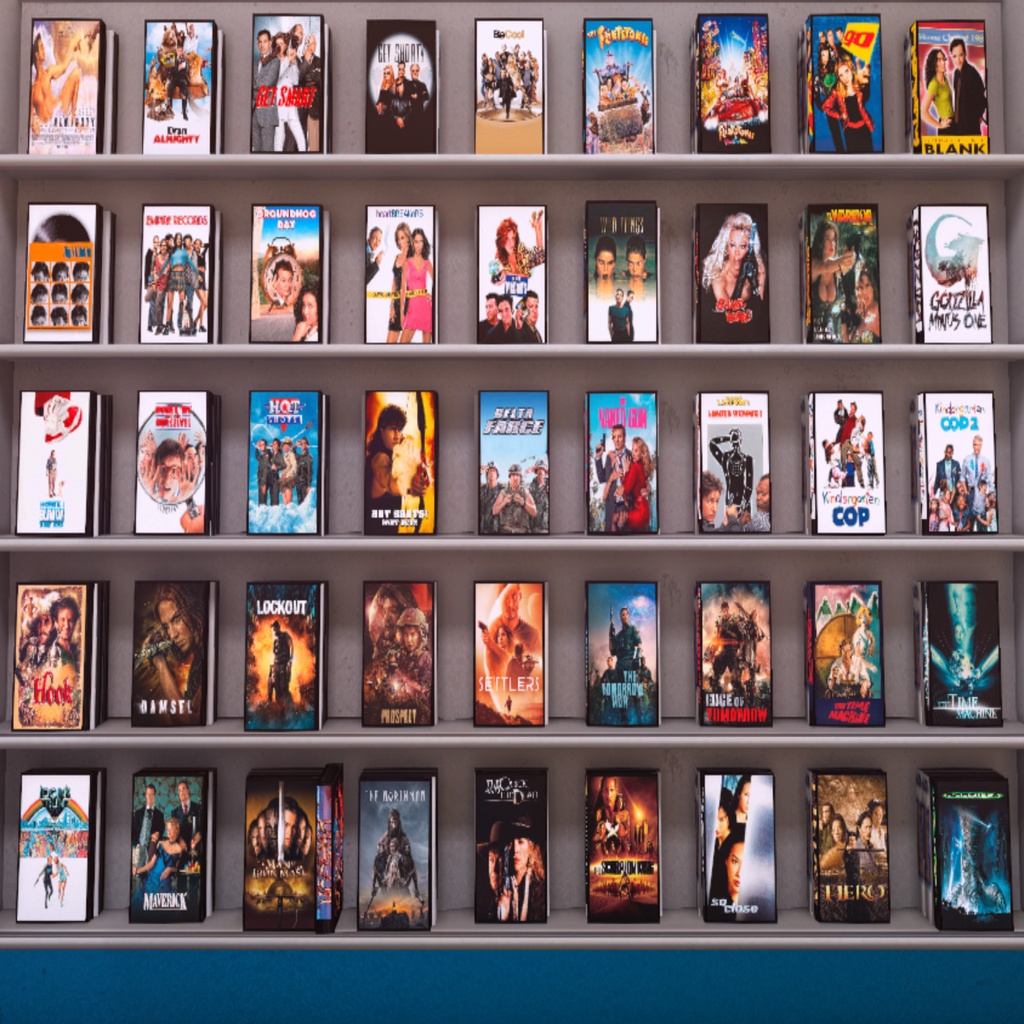
There were a couple different types of shelves. This big new release shelf has a different shape than the others. The texture looks all squashed, but that’s OK because when it’s applied in-game it stretches to fill the actual space and goes back to looking normal.
Completing the Game Section
I finished the game section of the blockbuster. There were a couple sides that were hard to get because of the lighting conditions – it was hard to take the screenshots for the imposters. But I fixed the lighting conditions, got those last screenshots and set up those last imposters. Now every single shelf in this blockbuster is filled up and optimized with the imposters that are correct for the content of the shelves.
Adding Life with NPCs
Another thing I did was add a bunch of NPCs in here as pets. That means I can change into any of these characters and walk around as them, have them follow me, and them just being in the world makes it seem more alive and less like a liminal space.
Arcade Section Addition
I put a little arcade section into this blockbuster, even though real blockbusters didn’t have those – I wanted one. What I did was add a bunch of those compilation re-releases from Atari, Midway and Capcom where it has a bunch of their games in one package with really cool menus and extra features. Especially that Teenage Mutant Ninja Turtles Cowabunga collection – that’s the best compilation re-release I’ve ever seen. They have screenshots from every season of the TV show, the boxes, the manuals, the comics, everything in there. It’s amazing.
Dynamic Content System
Finally, to add some variety to this arcade, I added about 60 shootout scenes from popular movies (and some not so popular ones) all along this blue strip that goes around almost the entire blockbuster store. They’re in there as a node, which means I can pull the lever and swap them out to be kung fu scenes or any kind of set that I want to prepare instead of shootout scenes.
And that wraps up this episode of Bantha Fodder. Who knows what I’ll be talking about next time. We shall see!