Today’s episode is about an older project, but its code still rocks. It’s called ISG Immersion and it’s an easy-mode 3D room chat bot that you fill up with your media using drag and drop. Your little AI guy talks about the stuff that you have on your media displays. It’s all about making it easy to set up a 3D media-rich website that you can embed on your own site or just link people directly to it.
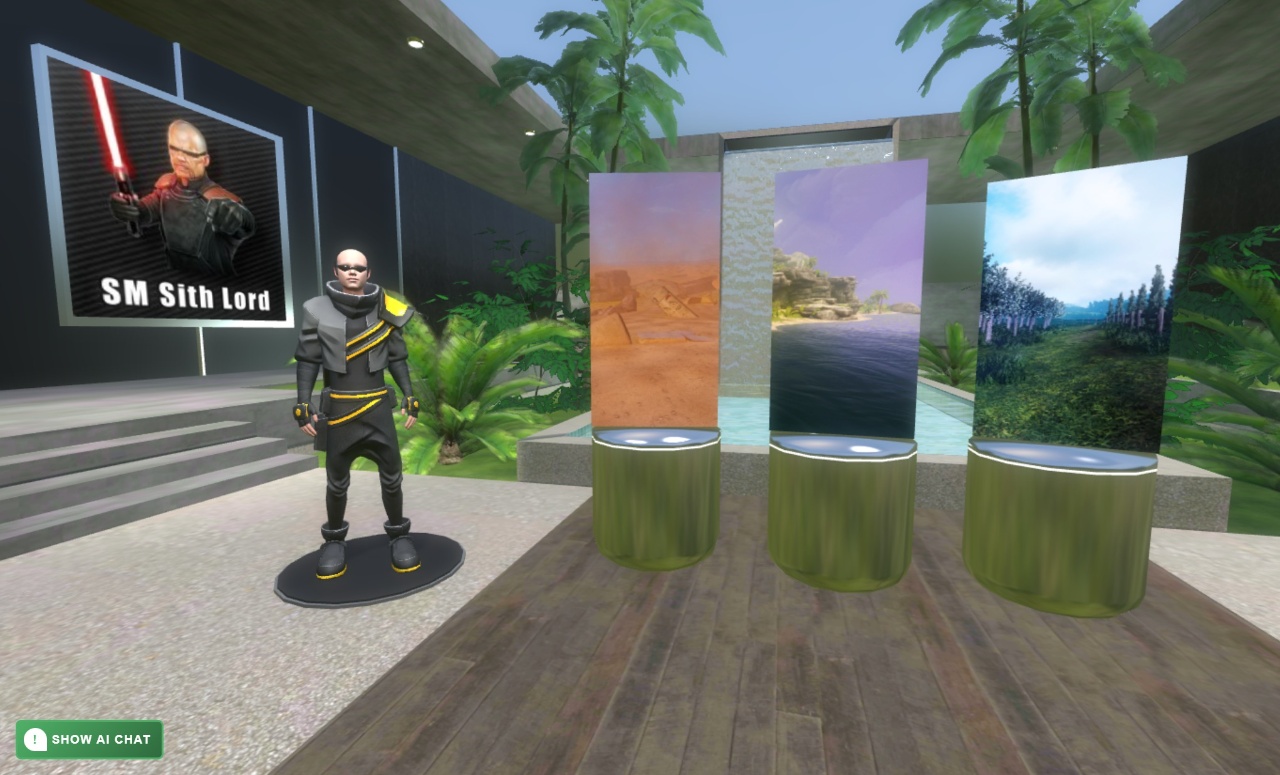
I actually use this on my website smsithlord.com. If you go under UGC and then ISG immersions, you can click on SM Sith Lords nature builds where I use one of these ISG immersion websites to showcase some of the source engine maps that I made.
The Technical Foundation
Before I get into the details of the chatbot audio streaming, let me go over the basic infrastructure. The 3D part was built using PlayCanvas. There were many scenes that you could pick from, and these scenes were made by a talented artist (not me) who created really nice scenes in Blender and then baked them down into low-resolution textures so they could load quickly and optimally on low-end devices.
This is really important because when you’re making a website for a product you’re trying to sell, you need it to work on mobile. That’s the only thing that matters – you gotta work on phones because there are way more people accessing your website on phones than on computers. Even though you can make amazing things in a website, you really can’t go overboard because if you did, it wouldn’t run on most people’s devices.
User Customization and Template-Based Design
This whole project, which is still live by the way at isgimmersion.com, is based around user customization. This clip shows the kind of customization options you have in a single environment – changing colors used on textures, replacing textures with different ones, swapping avatars, and of course placing your media items on those little pedestal things to showcase them.
It’s kind of like Anarchy Arcade, except even easier because instead of having complete freedom about where you position things, it holds your hand and guides you through a template where you can only position your media on certain spots designed for it. Very much like Grand Theft Auto’s penthouse, which actually inspired this – you can’t put stuff wherever you want, but there are designated slots on shelves and walls for hanging pictures.
The Live Editor Interface
Here’s what the editor looks like. It’s the PlayCanvas 3D scene running on the right, with the editor toolbar on the left. This particular screen is where you choose which environment you want to start with. When you make changes in the toolbar, you instantly see them previewed in that 3D scene before you save anything.
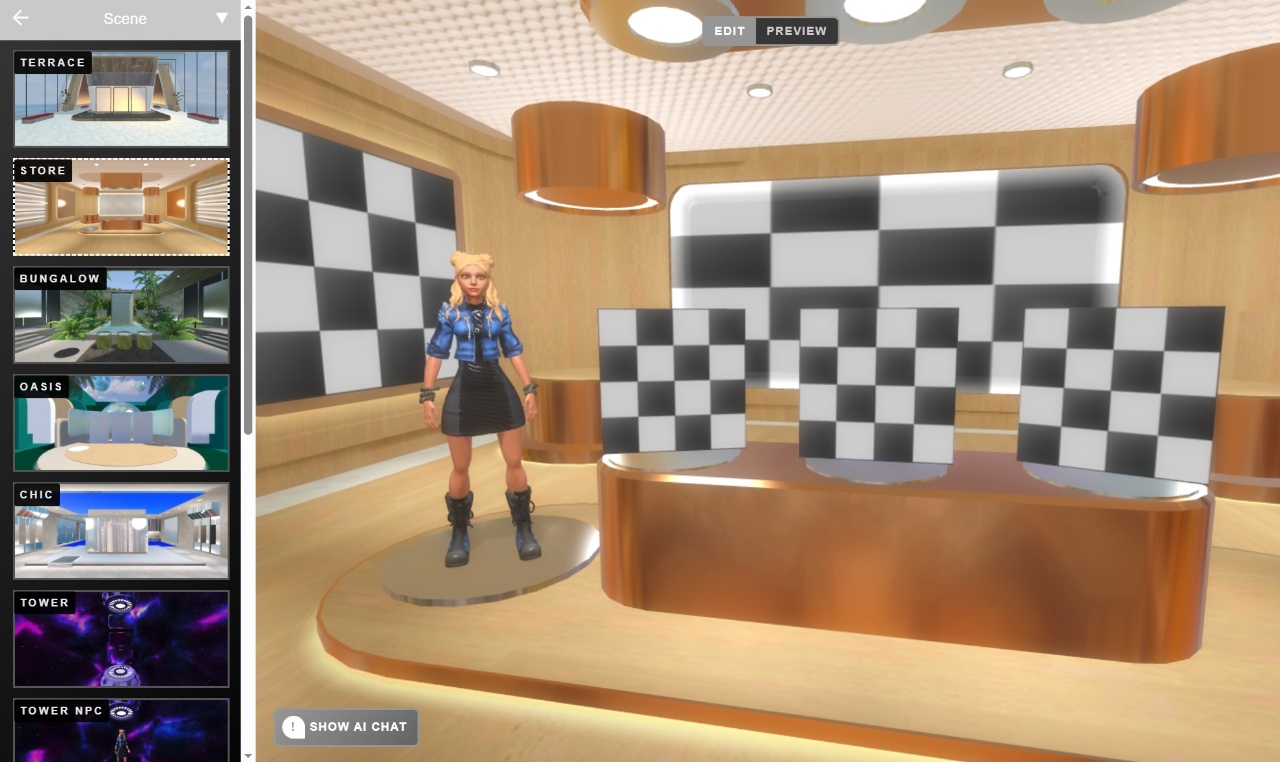
This is important because when you get into the details of dropping in your media, giving them titles and descriptions, and setting up links to send traffic to your own pages, you don’t want to keep clicking refresh. It’s nice to see updates instantly as soon as you type into the box.
Here’s an example of that workflow. I click on the first display box (the checkerboard one that doesn’t have anything set yet), click browse, and throw some bananas in there because this is just an example. You see it instantly appears, and then I can start typing the title and description. The preview on the right with the flyout showing the media item’s information is also live updating.
Rich Media Support
When setting up pedestals using ISG immersions, you can display images, embedded YouTube URLs, or even 3D models through Sketchfab, plus text fields like title, subtitle, and description. There’s even a price field for people using this as a storefront. The link at the bottom sends traffic to a checkout page, or in my case, to download my levels.
The Convey-Powered Chat Bots
Now let’s talk about the chat bots. The bots in ISG Immersions aren’t powered by the same tech I use in lurk mode or schmo time. Instead, they’re powered by convey.com – a software-as-a-service provider of chat bots. What makes Convey’s chat bots superior in some ways to the ones I currently run is their excellent streaming of text responses and audio, plus the ability to send your audio to the AI when speaking to it.
The streaming matters a lot because it doesn’t have to wait for the entire audio response before starting to speak. Even for really long essay-style responses, the bot speaks in fragments. You can see in the chat panel how responses from Convey stream in chunks – he says 3 or 4 things in rapid succession. It’s not like schmo time where dialogue is written in full chunks and played sequentially.
Convey actually delivers chunks as they’re generated, sometimes even changing responses after the client receives them but before finishing speaking. The streaming allows audio to play before it’s fully generated – not just the audio, but the actual text too.
Here’s a better example – look how much this bot talks about Star Wars! It wrote an essay about this Dark Forces showcase and started playing right away without generating the entire audio first. For direct chatbot interaction, this responsiveness is massive compared to lurk mode’s “AI thinking” delays.
Why Not Use Convey Everywhere?
You might wonder why I don’t use Convey everywhere if it’s so good. I used to when they had an indie developer plan – it was so cheap I could use it on non-monetized projects. However, they’ve since upped their game, eliminated the indie dev tier, and switched to pixel streaming which costs more. I had to remove it from personal projects like lurk mode, but it’s still good for actual product chat bots.
Using a service like Convey has pros and cons. It makes things easy and streamlined, but you don’t have the control of manually written chat bots like in schmo time and lurk mode. For example, schmo time bots can give RPG-style dialogue suggestions with multiple choice options – you can’t do that with Convey. It’s designed for one-on-one chat sequences, which is great for what it does but doesn’t cover everything you’d want in a custom solution.
Mobile-First Design
Like that vertical phone view I showed earlier, it’s super important to work well on phones and portrait views because many people access websites this way. Being responsive is crucial. On widescreen displays, you see chat on the left, product info on the right, and the 3D render constantly. But on tiny mobile phones that can’t show all information simultaneously, clicking on media items opens a full-screen menu and pauses 3D rendering for performance.
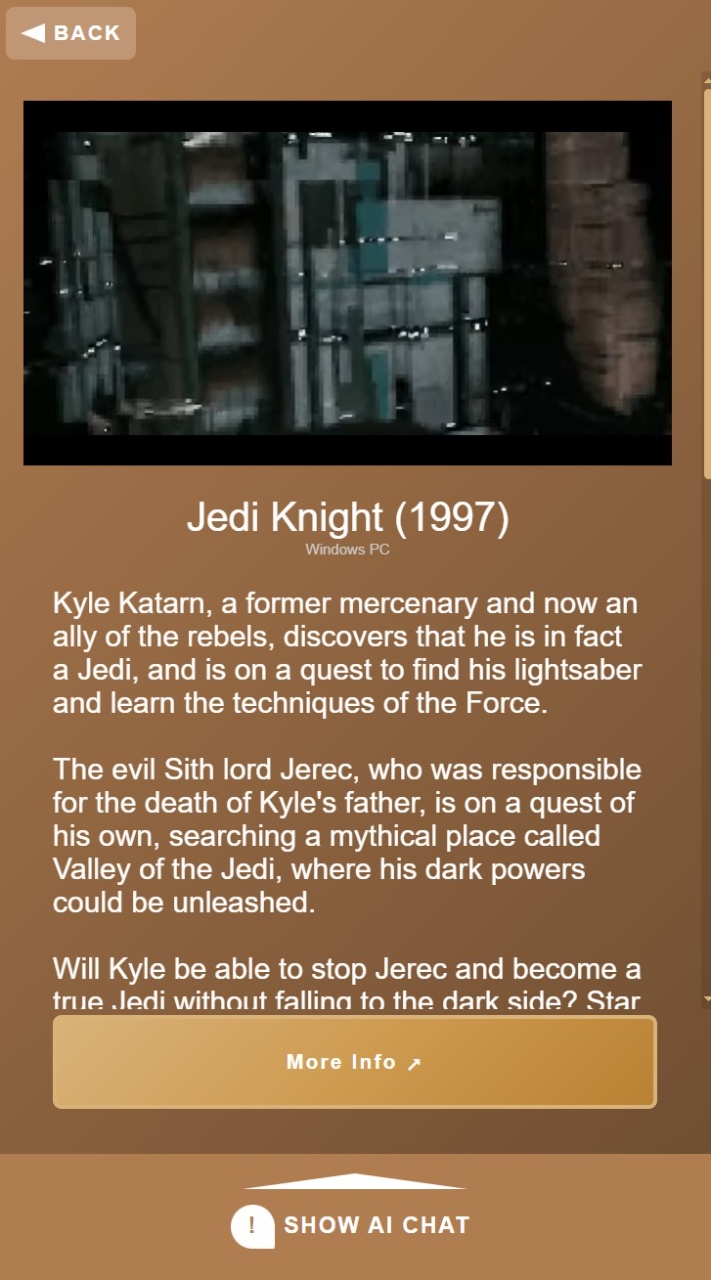
This way you can watch videos, read data, and click links. When done, clicking close returns you to the 3D world to continue talking to the bot.
Custom Bot Configuration
Here’s what configuring your own custom bot on Convey looks like. You can pick preset personalities (as we call them in the ISG Immersion Builder) or create your own character with a Convey account and drop your character ID into your immersion.
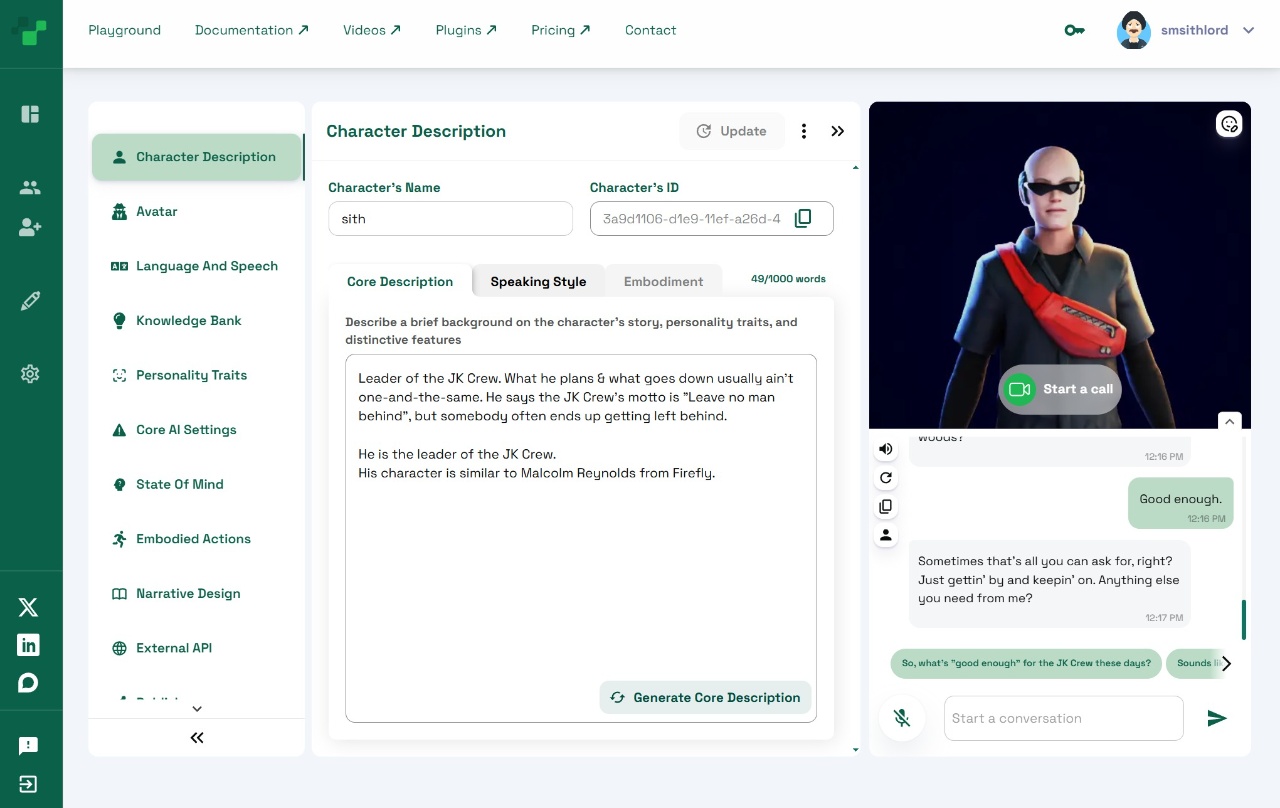
The cool thing is it doesn’t use your subscription – only your character. You don’t even need a Convey subscription, just an account to create your character. ISG Immersion handles the subscription part since it’s a full consumer-facing product.
The Full Website Experience
Because it’s user-facing, we built a complete website for it. This wasn’t a solo project – I worked with the ISG Immersion team (the same guys who make the Baby Blake Roblox game and worked on Somnium). The team included a graphics designer and 3D artist who make custom solutions in addition to this cookie-cutter solution.
Even though it’s the best website I’ve ever been part of, I didn’t make it myself – the graphics designer created it and I implemented it in WordPress. I’m still proud because it wasn’t easy to put into WordPress, and it turned out pretty good.
Here are more web pages we built, including the custom solutions page showcasing all their work since the ISG guys make Baby Blade and other projects.
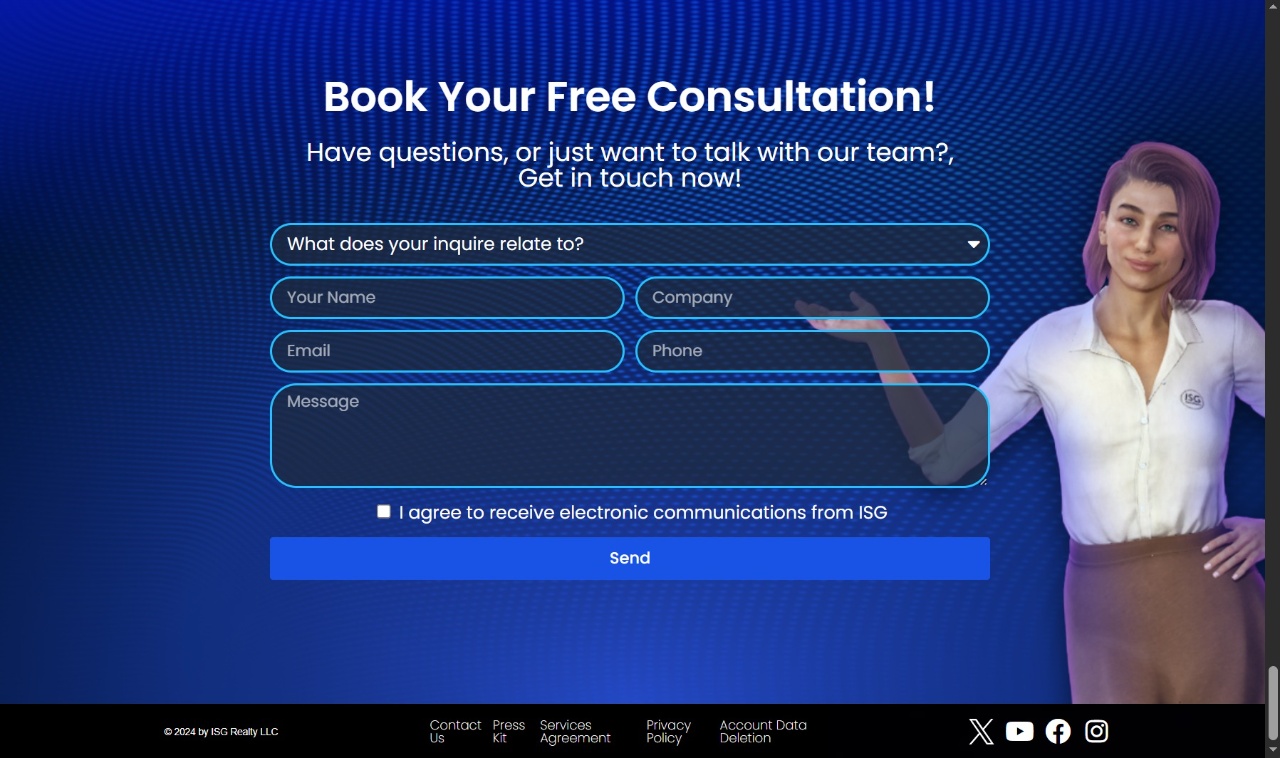
At the bottom there’s a contact form because that’s what you have on custom solution pages – you don’t list prices because you don’t know what people want. It’s always a “contact us” situation.
One more cool feature was this list with a little video showing what the product looks like on mobile, complete with a hand holding a fake phone to reinforce the mobile-friendly aspect.
So that concludes the recap of the ISG immersion project. Like I said, it’s an older project made a couple years ago, but the Convey integration and streaming bot conversations are still relevant today. Plus, isgimmersion.com is still a functioning product – you can get a subscription and build your own version just like the one on my website.
Next time I’ll be coming at you with an update on a different project. Peace out!