Today I ran a complete test of my automated content pipeline, taking it all the way from voice dictation to a fully produced social media video. The goal was to see how seamlessly I could transform one of my auto-blogger posts into not just a blog post, but into a complete Showtime Show episode with full motion video, AI actors, and lip sync.
The process started with my usual voice dictation that gets turned into blog posts, but this time I wanted to push it further. I ran it through my system that generates full motion video with AI actors for each scene of the episode. The AI handles lip sync and delivers the dialogue for each line, creating what looks like actual people speaking.
The AI Video Generation Process
The first step involves using Hedra to transform the regular episode content into full motion video with lip sync and audio. Here’s where things got interesting – and a bit cursed.
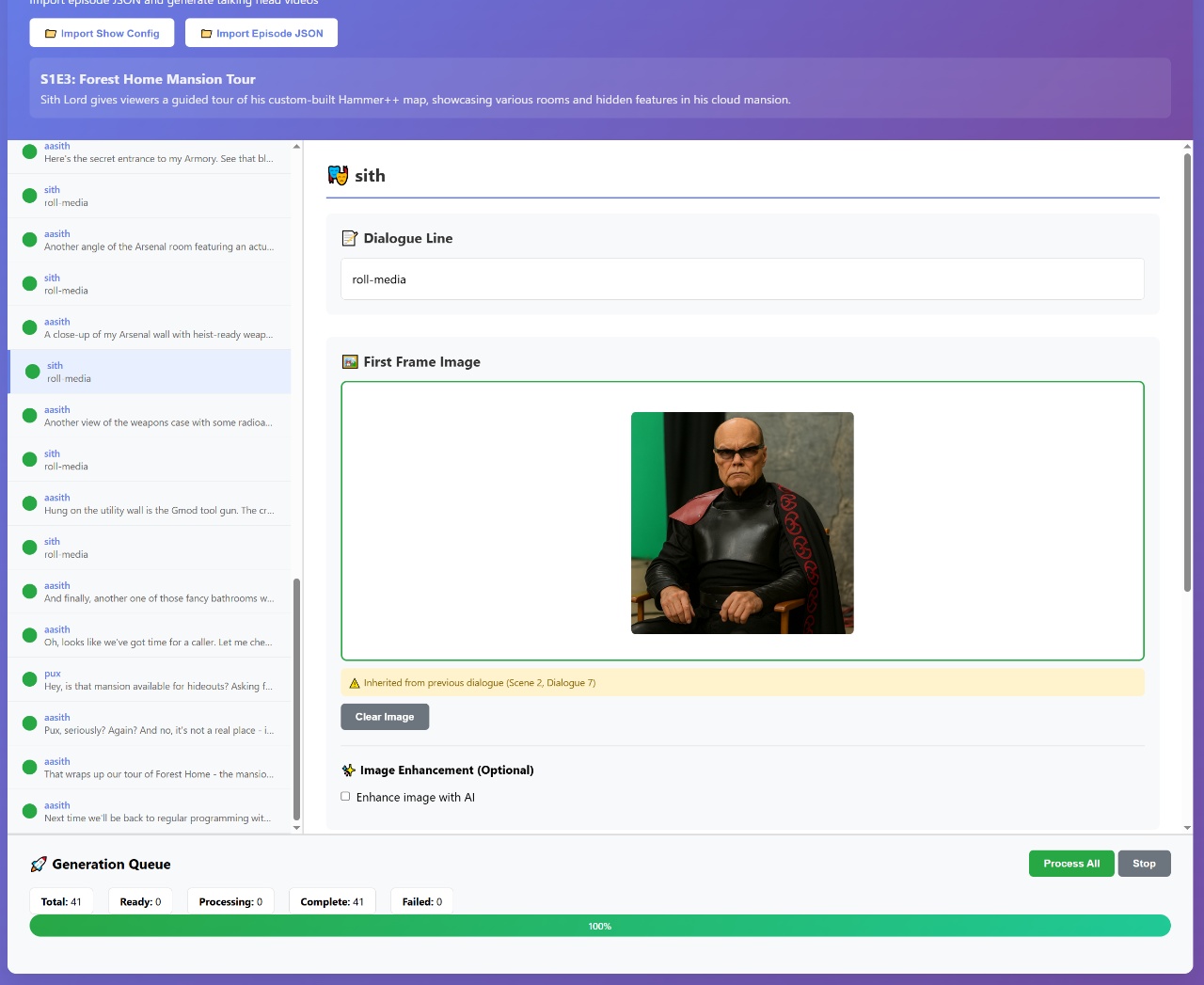
As you can see in the screenshot, there’s a producer character that sometimes appears in the videos shouting commands. The AI wasn’t smart enough to ignore the producer’s off-stage directions, so you actually see him barging into scenes and giving orders. It’s weird and cursed, but also kind of hilarious. I’ll need to refine this so it doesn’t happen in future versions.
Assembling the Social Media Format
Once the individual AI actor videos are generated, the next step is turning them into a proper social media video format – think vertical video with captions, similar to what you’d see on TikTok or Instagram Reels.
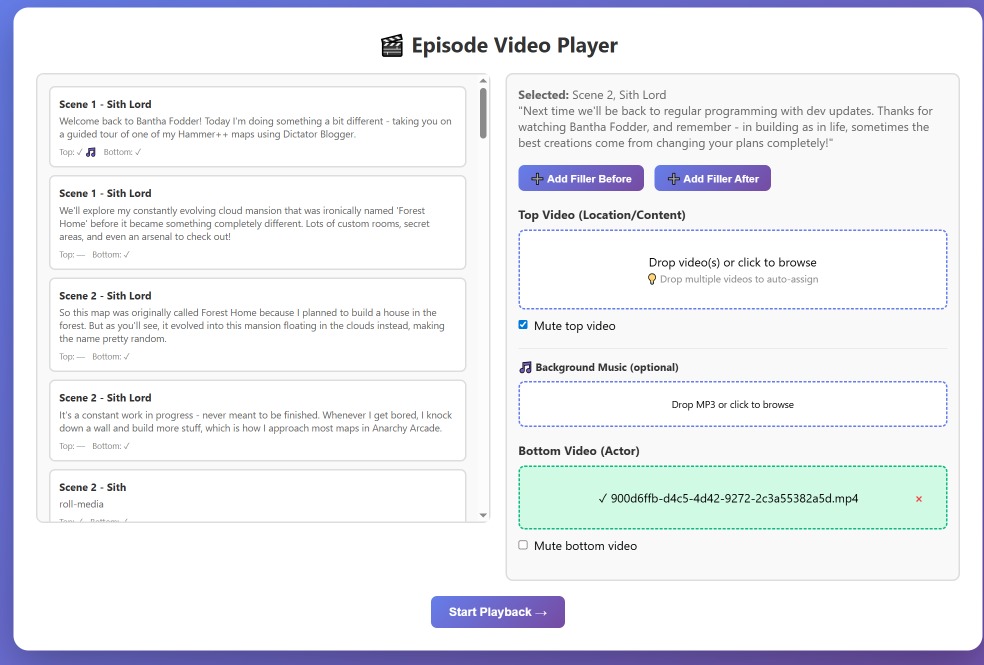
This tool lets me drag in all the generated videos – 41 videos in this case – each with their own lip sync audio. The system understands the dialogue structure since it has access to the original screenplay, so it can arrange everything chronologically without much manual intervention. On the top portion of the video, I can add either screenshots or actual video clips that align with what the AI actors are discussing. For this test, I recorded some real videos to replace the static images I usually use, which made the final result much more engaging.
The Final Playback and Rendering
The final stage brings everything together into a cohesive social media video with proper formatting and captions.
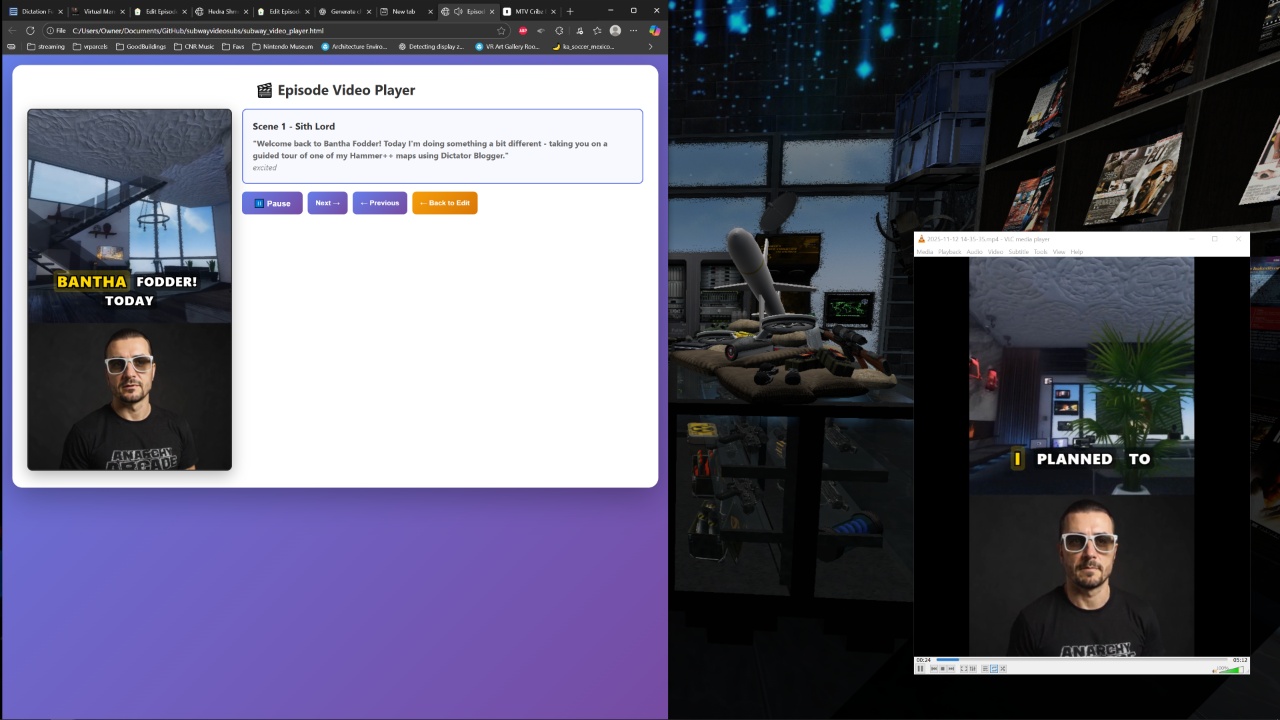
At this stage, the system plays back all the components together: the AI actor videos with their lip sync audio, auto-generated captions that match the spoken content through phonetic timing algorithms, and the supporting video content on top. I also dropped in a background track that I quickly generated using 11 Labs to sound like MTV Cribs background music. The whole thing gets recorded in OBS to produce the final vertical social media video.
What’s particularly clever about the caption generation is that it doesn’t actually need to listen to the audio. Instead, it uses timing algorithms based on vowels and phonetics to match the captions to what’s being spoken, which makes the whole process much faster.
Publishing Across Multiple Formats
The beauty of this automated system is its versatility. From a single voice dictation, I can generate multiple content formats without starting over.
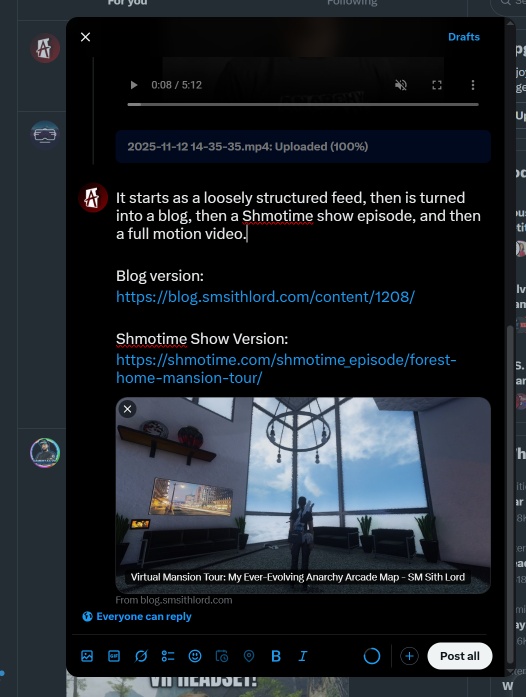
As you can see in the Twitter post, I shared not just the video, but also links to the blog version and the interactive Showtime Show episode. This demonstrates how the auto-blogger system retains all the original data and can generate different formats from the same source material – whether that’s a traditional blog post, a 2D interactive show that runs in your browser, or a full motion video episode like this one.
Results and Future Improvements
Overall, the test was successful. The pipeline worked end-to-end, producing engaging content across multiple formats from a single voice input. The vertical video format with captions makes it perfect for social media distribution, and the AI actors add a unique visual element that static blog posts can’t match.
That said, there are definitely areas for improvement. The biggest issue is that cursed producer character who keeps showing up uninvited. I need to refine the AI prompting so it knows to ignore off-stage directions and focus only on the actual content. But aside from these quirky moments, the automation worked remarkably well.
The fact that I can now dictate something once and have it automatically become a blog post, an interactive show episode, AND a social media video is pretty incredible. It’s a glimpse into how content creation might work in the future – less manual work, more creative automation.