I’ve been working on an experimental integration that brings Claude AI into AArcade through a modded menu HTML file. It’s basically turning Shmotime shows into interactive experiences where the AI acts more like a dungeon master than a traditional sitcom writer.
How the Integration Works
The system combines context from nearby objects and actors with basic world info and story history for each sequence generation. Claude mixes this context with Shmotime show premises and character profiles to output 3-4 dialogue lines with multi-character support, optional RPG-style suggested replies, and tool usage requests.
The RPG replies give players options on story direction, while tools let the show writer interact with the game world. Currently implemented tools include get_world_objects and media_activate, though they could be made portable from Claude’s tool spec.
Interactive Decision System
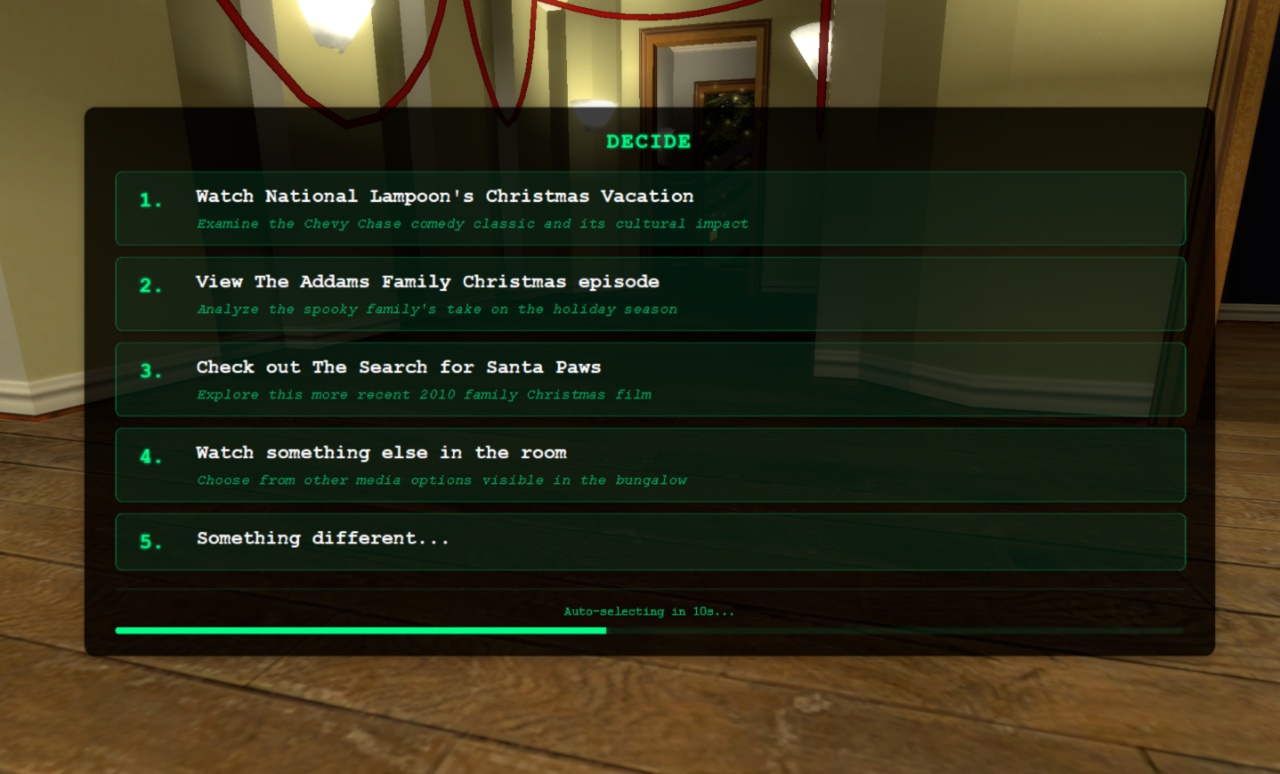
This is the decide menu that happens when the show writer gives you replies to choose from. It’s like an RPG selection menu designed with live streaming in mind – it shows for 20 seconds by default before automatically picking a path. All options have numbers so stream viewers can type and vote on choices. There’s even a “plot twist” option at the bottom that completely changes the story direction if selected.
The auto-selecting feature is optional and can be turned off. The show writer decides when to present these options versus letting the story roll naturally, so you’re not forced to decide every single sequence.
Cast Management System
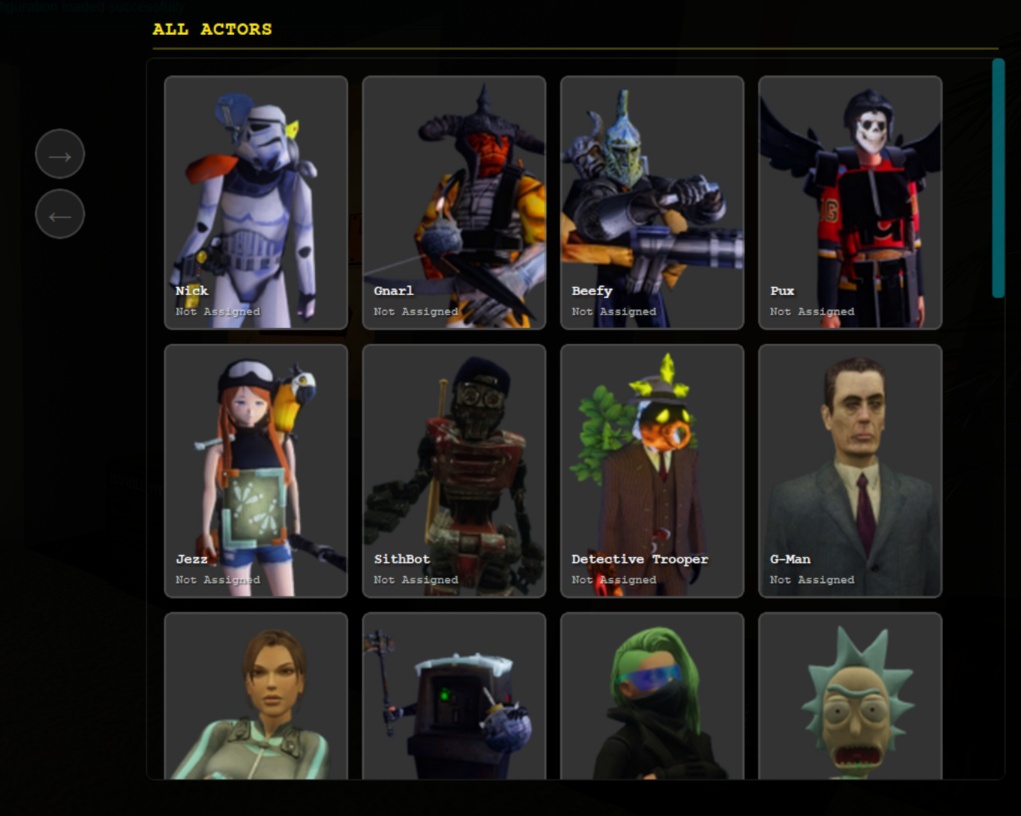
The casting menu pulls from Shmotime profiles and works like an old school RPG inventory. You have all available actors on the right side and move the ones you want to use over to the active cast on the left. The show writer only uses casted actors by default, unless you tell it to behave differently.
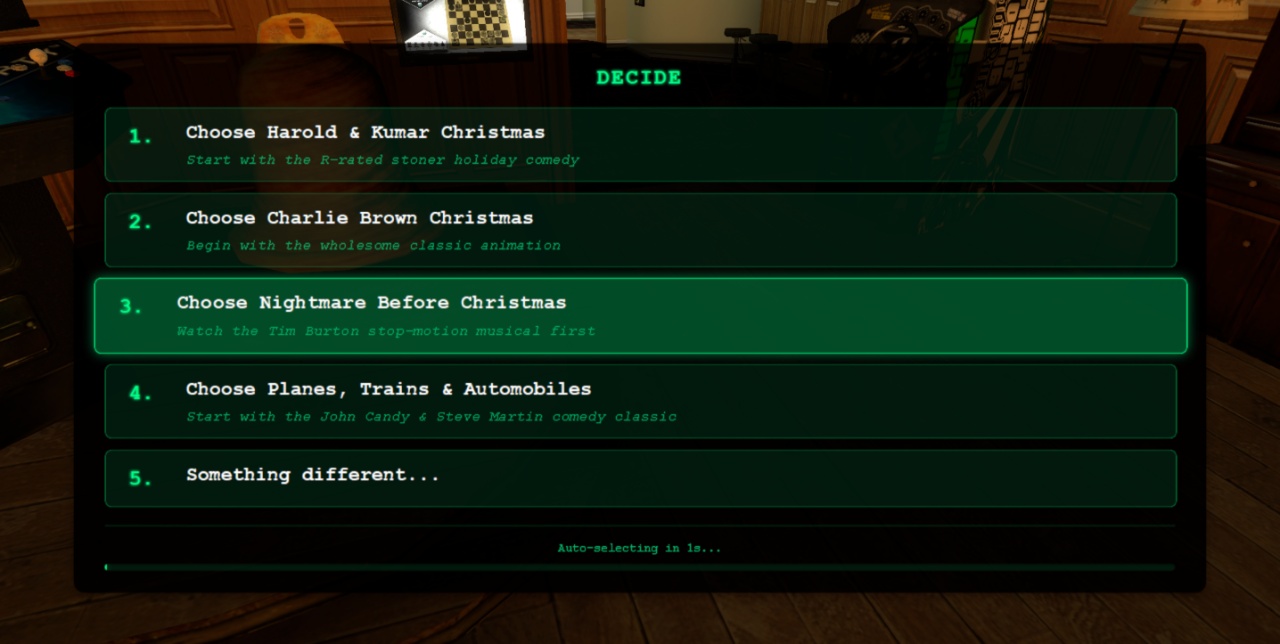
This shows the side menu with an option that got auto-selected when the timer ran out. The animations aren’t thrilling, but they’re pretty good and functional.
Gameplay Integration
Wait, how did this get in here?
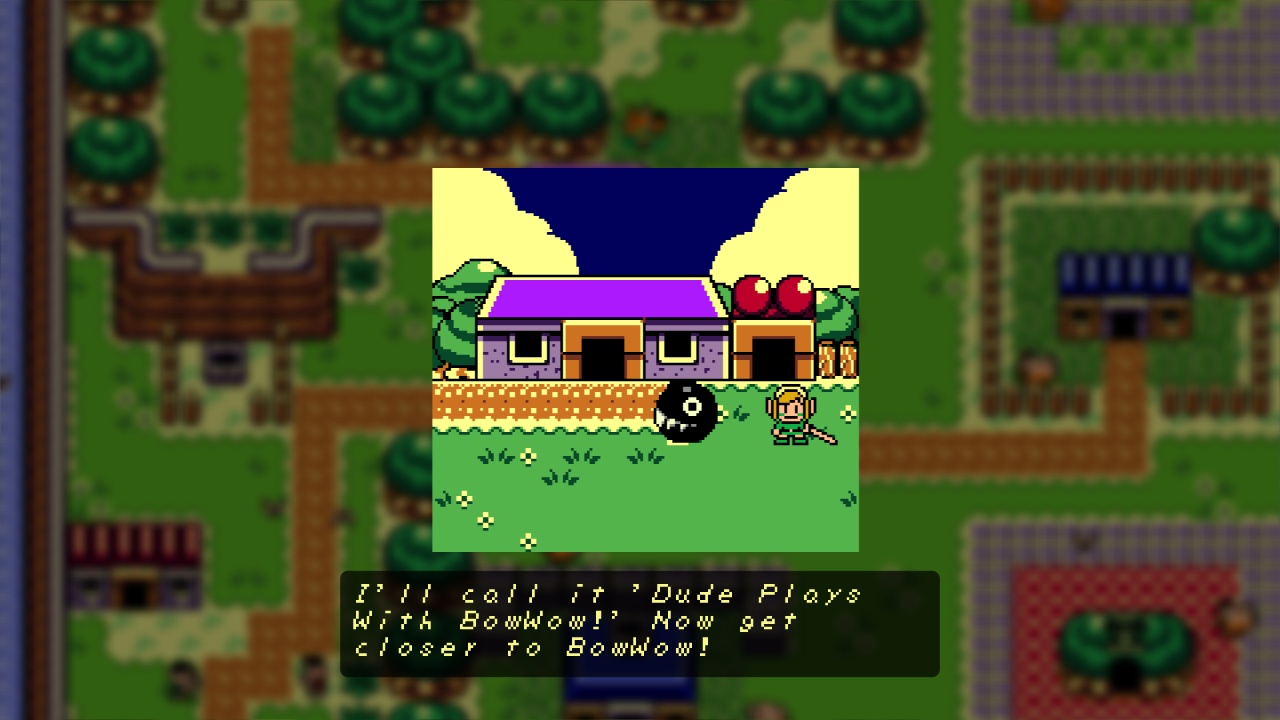
While we’re on the subject of games…
But back to the AArcade integration – here’s what the actual gameplay looks like:
This shows me walking up to a wall and asking it to play some Cleopatra 2525. The AI can see what’s in front of me, knows what’s in the world, and can activate the media. You can see the typing interface and the pre-determined response options at the bottom, plus the infinite story mode checkbox.
User Interface Design
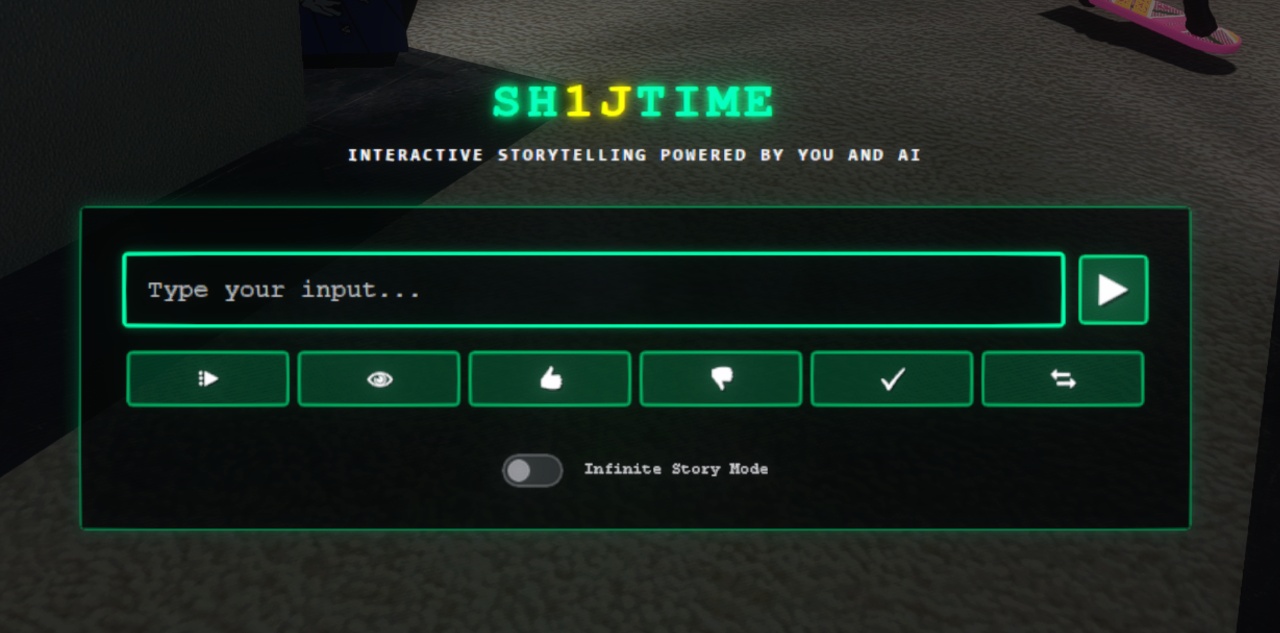
You type prompts into this box and click send. The row of buttons along the bottom are easy-mode options – the first one just says “continue” to keep the story going, the eye icon asks “what am I looking at?” and generates dialogue about your current view. The show writer adapts to how you want to use it based on your input style.
The switch on the bottom enables infinite story mode, which automatically continues the story after each dialogue sequence. The far-right button with two arrows takes the story in a completely different direction when things get boring.
The input box has some cool animations that look much better in motion than in still pictures.
AI Processing Visualization
When the AI is thinking, instead of showing a boring spinner, it displays “AI thinking” and matrix-decodes the context being fed in. You can see all the ingredients going into the generation – nearby objects, world info, active actors, etc. It’s like watching the AI work through all the bullshit you’re giving it to try and make a coherent story.
Cost Tracking System
Every AI operation is visualized as Skee-Ball tickets popping out from the left. Different colors represent different operations – yellow for thinking, red for 11Labs voice synthesis, purple for tool usage. Each ticket type has a different cost value (1 cent to 10 cents), and your running total appears as a score. You have unlimited tickets, but it’s interesting to watch the process and see how much your interactions cost in AI calls.
Shmotime Site Updates
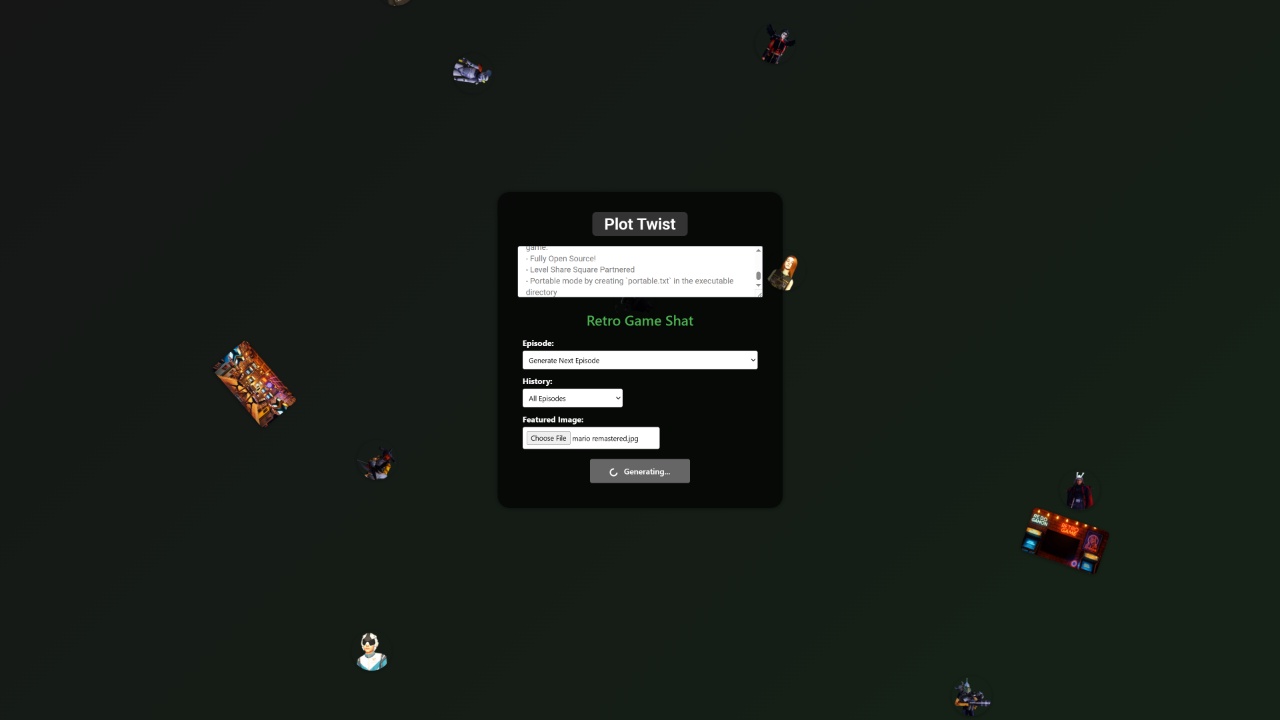
On the regular Shmotime site, I added a new generation menu where you can choose how much history to use in generation and upload images directly in the form to use as thumbnails. This makes it easier to create shows like Retro Game Chat where I need to reference YouTube videos and channels, and now I can handle the featured images all in one menu instead of having to find and paste them separately.
Why It’s Unshippable
This integration can’t be shipped with AArcade for privacy and cost reasons. People would definitely get me banned from every AI service by using it like Cards Against Humanity. But it’s been a fun experiment for my own use with the Shmotime characters.
You can catch this mod in action if you see me streaming live on Twitch or Kick.
That’s all for this experiment update. Happy Thanksgiving everyone, see you on the flip side!